🐾 Kennel

A workspace for AI CLI agents, terminals and files

Version 2.0.0 Windows macOS Linux BSD 3-Clause
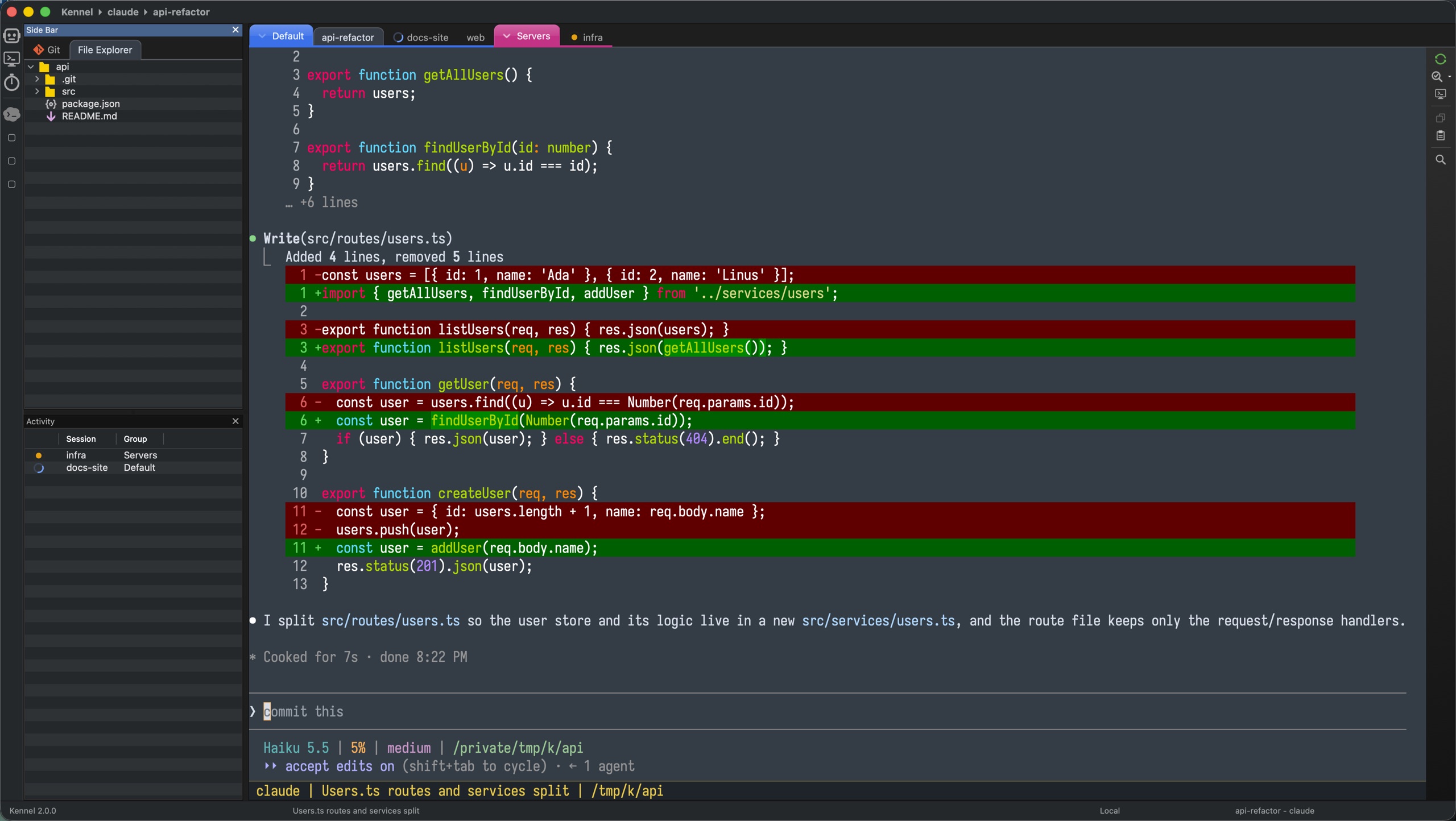
A one-minute interactive tour. Pause it, or drag the timeline to explore. Open in a new tab »

Kennel is a fast, native desktop application for working with interactive AI CLI agents: Claude Code, OpenAI Codex, Kiro CLI, OpenCode or any tool of your own. It runs many agent sessions side by side in one window, and gives you what you need around them: a file explorer, a git view, an editor, a code reviewer that is a second agent, and a search for everything.

Sessions run on this machine, in WSL or on remote hosts over SSH. Restart the app or reboot the machine, and every session returns where it left off, using the native resume flag of the agent.
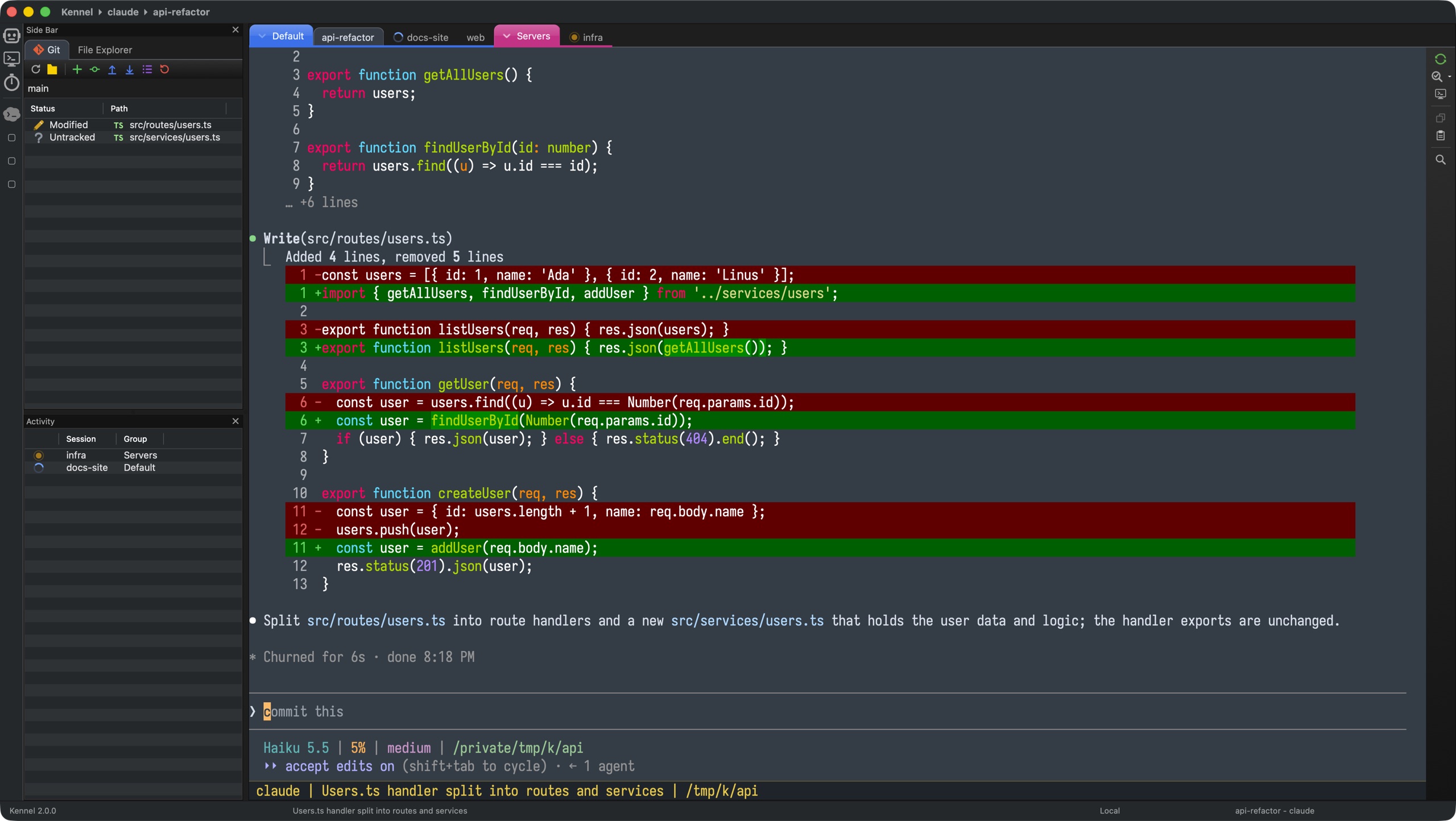
Kennel 2.0: sessions grouped in one window, with the Git side bar and the Activity pane

Why Kennel?

A dozen terminal tabs, no idea which agent is waiting for you, lost context whenever a window closes. Kennel fixes that.

🗂️

One window for everything

Agent sessions, plain terminals and files are the tabs of one notebook, grouped by session group. Ctrl+Tab switches in most-recently-used order.

🚦

See what each agent is doing

A spinner, a check mark or an orange pulse tells you if an agent is working, done, or blocked and waiting for you. The Activity pane lists them in one place.

🔄

Never lose your place

Sessions, terminals and open files return at the next start, and agents resume their conversation with their native resume flag. Or archive a session and restore it later.

📁

Files and git next to the session

The Side Bar has a file explorer and a git view that always show the active session: on this machine, in WSL or on a remote host.

🤖

A second agent that reviews the first

Review Buddy reviews the changes of a session and sends its findings back to the first agent, until the work is clean.

🔎

Find anything fast

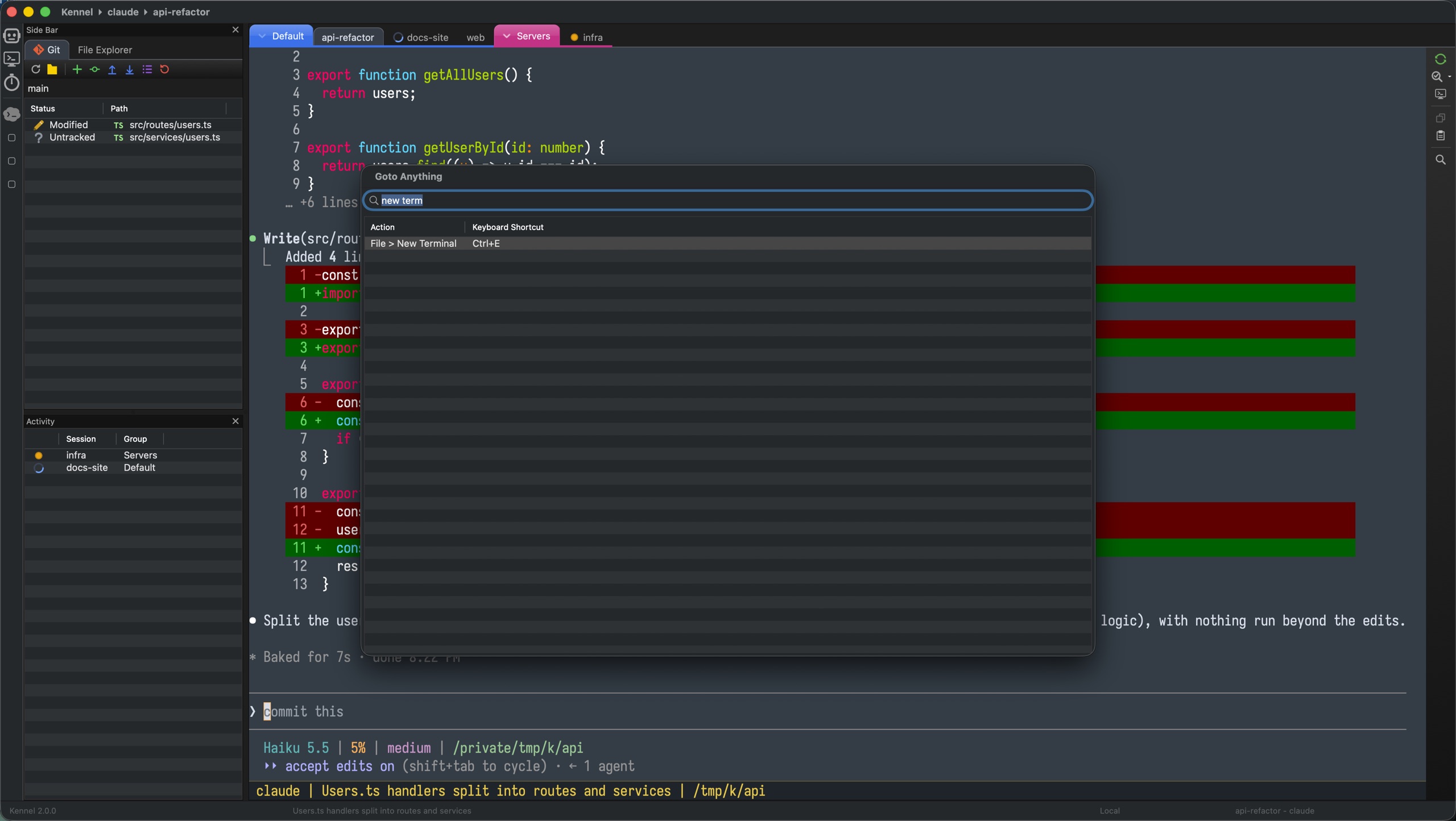
Goto Anything (Ctrl/Cmd+Shift+P) searches the menus, the open pages and the actions of the current page.

⚡

A true, fast terminal

A full PTY terminal drawn with OpenGL on all platforms, with OSC 9;4 progress bars, the clipboard and mouse events for TUI applications. Any interactive CLI works as in your shell.

🧩

Any agent, no code needed

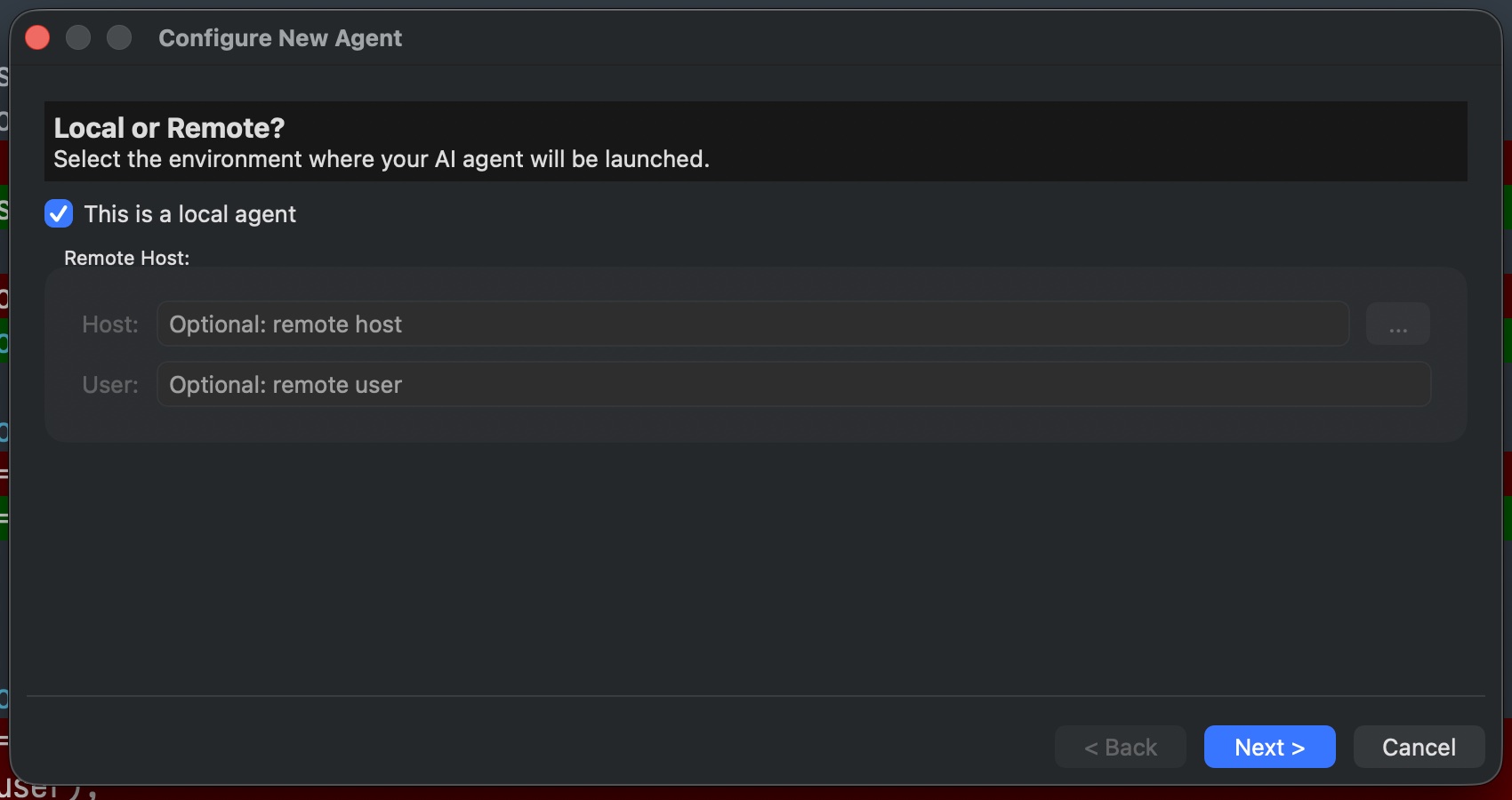
The first start finds the agents that are installed. Define more in a wizard or in JSON, locally or over SSH.

🌈

Make it yours

Terminal color themes (the default is Mariana), an application theme that can follow the terminal theme, your own fonts, and an icon for each agent.

See it in action

Real screenshots of Kennel 2.0. Click an image to open it in full size.

Activity

Working, done and blocked at a glance

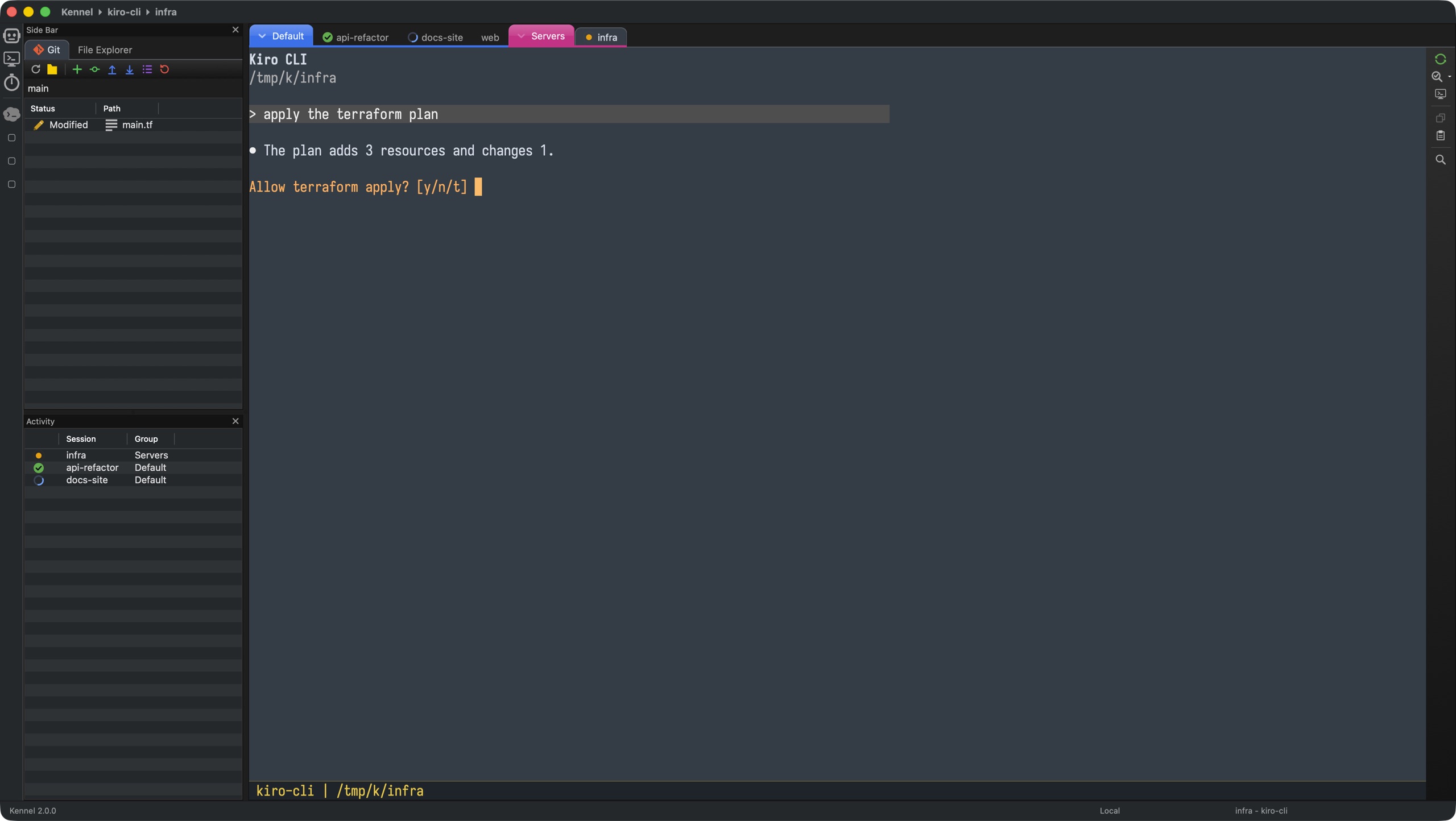
The tab of every agent shows what it is doing, and the Activity pane lists the blocked sessions first. Kennel also asks for your attention when a background session finishes while the window is inactive.

  • A turning ring: the agent is working
  • A green check mark: the agent is done
  • An orange pulse: the agent is blocked and needs you
Side Bar

Files and git follow the active session

Switch to another session, and the File Explorer and the Git view switch with it, on this machine, in WSL or on a remote host.

  • Open files in the built-in editor with syntax highlighting
  • Git status, diff, add, commit, log, blame, push and pull
  • Remote trees connect in the background, so a slow host never blocks the window
Navigation

Jump anywhere, instantly

Goto Anything searches the actions of the current page, the open sessions, terminals and files, and every enabled menu item with its shortcut. Press Ctrl/Cmd+Shift+P, even inside a terminal.

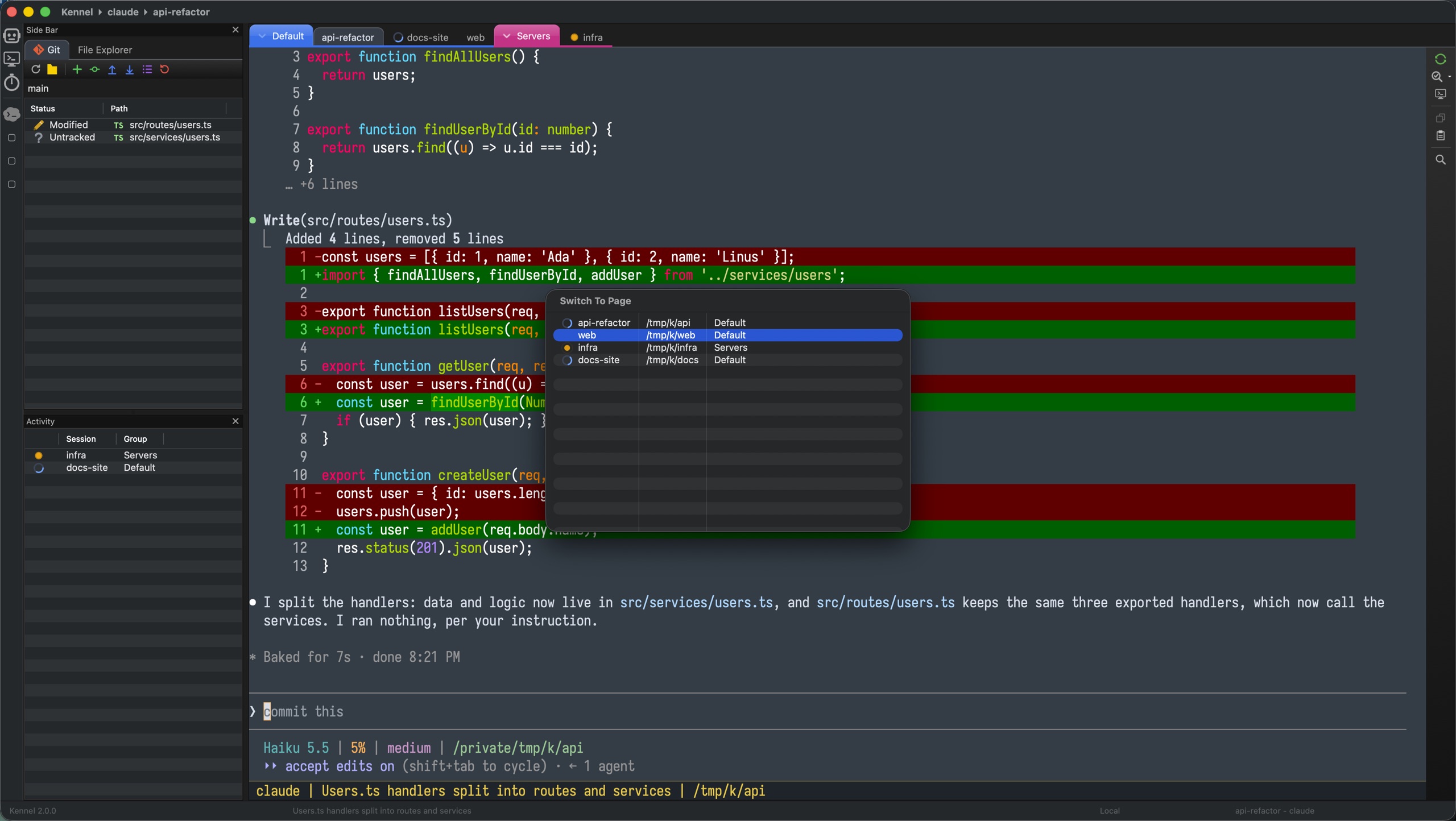
And Ctrl+Tab opens a page switcher that lists every open session, terminal and file, most recently used first.

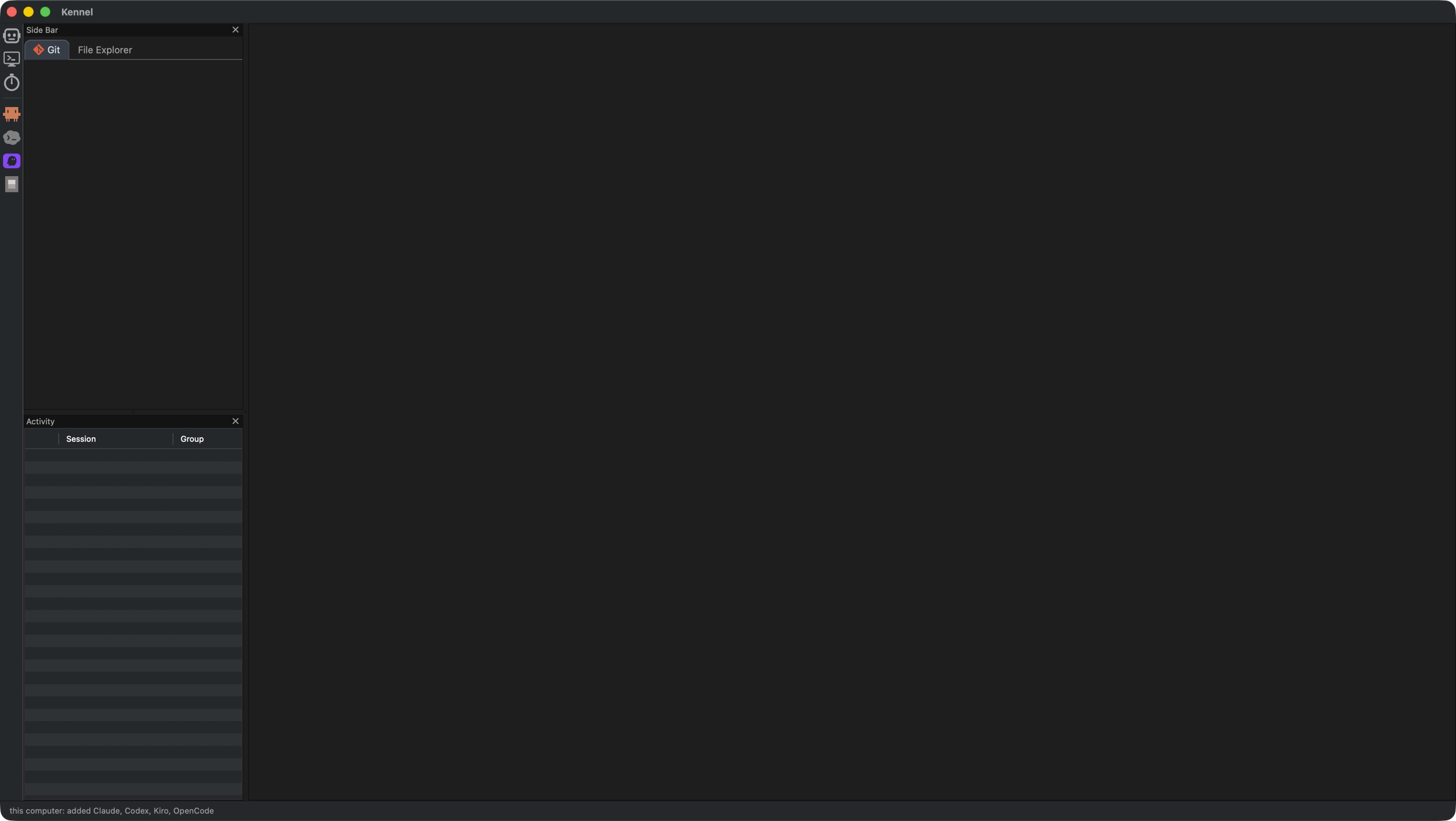
The agents that the first scan found, in the toolbar
First start: Kennel finds your agents
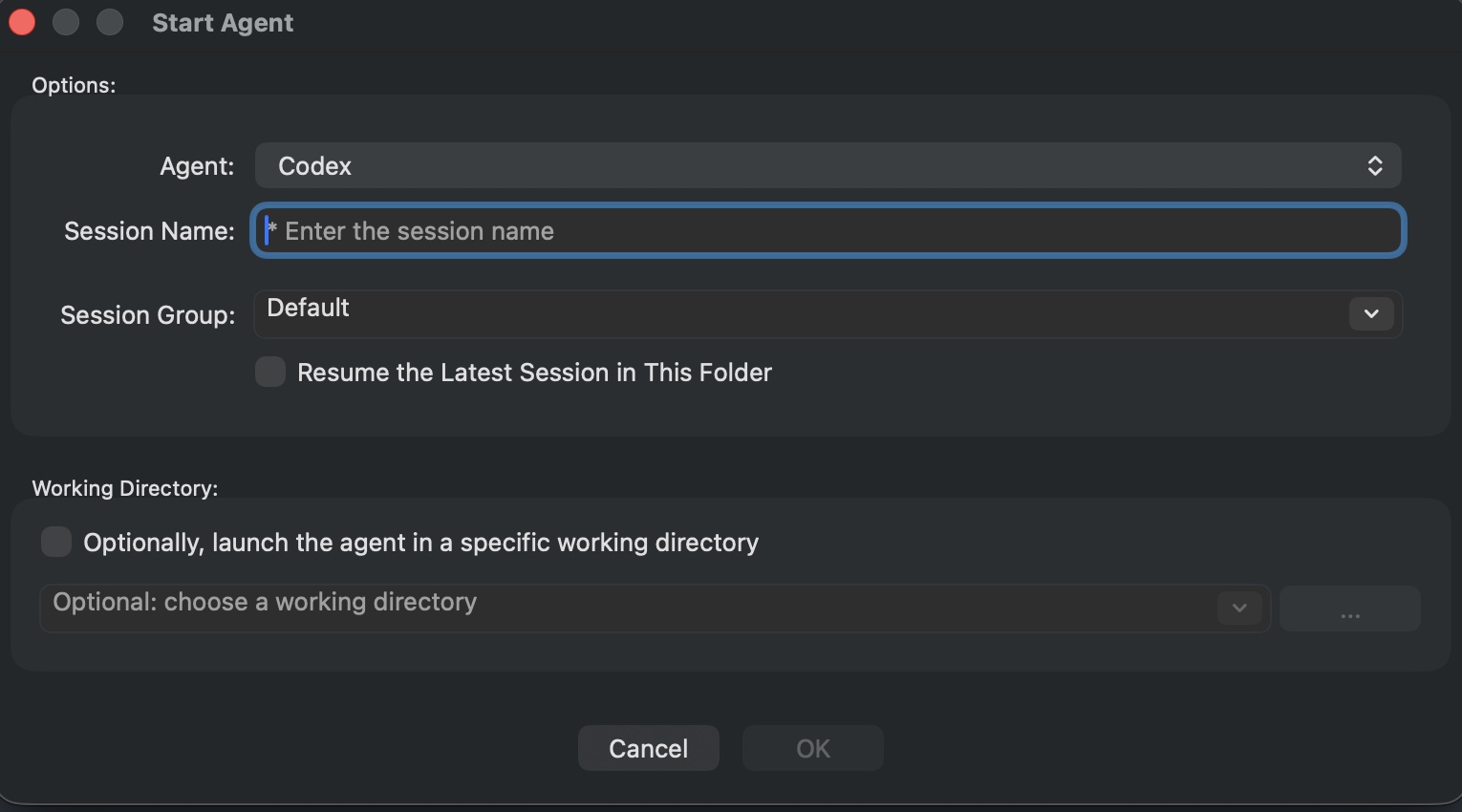
The Start Agent dialog
Start an agent: local, WSL or SSH
The New Agent Wizard
Define a new agent, no code needed

Bring your own agent

Kennel finds and defines these when they are installed, and resumes each with its native flag

Claude Code OpenAI Codex Kiro CLI OpenCode + any CLI of your own
Agent Resume command
Claude Codeclaude --continue
OpenAI Codexcodex resume --last
Kiro CLIkiro-cli chat --resume
OpenCodeopencode --continue

What's new in 2.0

A redesign of the main window and of the terminal page

🪟 The window

One notebook for sessions, terminals and files, in place of the session tree.
A Side Bar with a File Explorer and a Git view, for local, WSL and remote locations.
An Activity pane for working, done and blocked sessions.
Archive a session instead of closing it, and restore it later.
Goto Anything for menus, pages and page actions.

🧰 The tools

A search bar for files and terminals, with replace for files.
Open files and terminals return with the workspace; file links follow cd and open at the right line and column.
An application theme that follows the terminal theme.
Agent discovery on the first start, including WSL distributions and SSH hosts.
Windows: a newer ConPTY, color emoji and an installer.

Read the complete release notes »

Getting started

Three things to understand: an Agent, a Session and a Group

1

First start. Kennel looks for claude, codex, kiro-cli and opencode in the background and defines an agent, with a toolbar button, for each tool it finds. It can also search your WSL distributions and SSH hosts.

2

Start an agent. Press Ctrl/Cmd+T or click an agent button in the toolbar. Pick the session name, the group and the working directory: on this machine, in WSL or on a remote host.

3

Work and organize. Each session has a toolbar with Restart, Review Buddy and Terminal. Right-click a tab to rename, duplicate, move to a group, or archive it.

Action Shortcut
Start AgentCtrl/Cmd + T
New TerminalCtrl/Cmd + E
Goto AnythingCtrl/Cmd + Shift + P
Open FileCtrl/Cmd + Shift + O
Next / Previous PageCtrl + Tab / Shift + Tab
Restart SessionF5
Rename SessionF2
FindCtrl/Cmd + F
Go to LineCtrl/Cmd + G

Ready to get started?

Download Kennel 2.0.0. Free and open source.

Windows 11 macOS (Apple Silicon) Linux (sources)
Build instructions View on GitHub

Kennel is licensed under the BSD 3-Clause License. Created by Eran Ifrah — GitHub

Kennel is built on wxWidgets and powers interactive AI CLI agents with wxTerminalEmulator.